
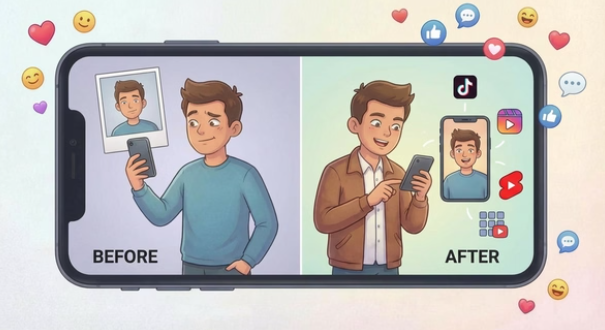

Best AI Talking Photo Generators of 2026
Talking photo tools kinda snuck up on everyone. The idea’s dead simple — upload a photo, add a script or some audio, out comes a video of that person talking. But under the hood, the tech’s actually gotten really good over the past year. Lip-sync, facial stability, voice quality — all of it’s improved to the point where you can actually use these for real work now, not just goofy social clips.
I spent a few weeks poking at the major platforms, and here’s the honest read: the gap between the good ones and everything else is getting wider by the month. The tools chasing speed and real workflow — not just “look how cool this is” demos — are the ones pulling ahead. One standout worth mentioning is Magic Hour talking photo, which handles facial expression and audio sync with surprising consistency, making it a solid option for more polished projects. Here’s where things stand as of 2026, based on actually using these things, not just reading spec sheets.
Best AI Talking Photo Tools at a Glance
| Tool | Best For | Languages/Voices | Platforms | Free Plan | Starting Price |
| Magic Hour | Multilingual video creation at scale | 200+ voices, multiple languages | Web, API | Yes (credits never expire) | $12/month (billed annually) |
| D-ID | Realistic portrait animation | Multiple languages | Web, API | Yes (limited watermark) | $16/month |
| CapCut | Expressive facial animation | Multiple voices | Web, Mobile | Yes | Free |
| Synthesia | Professional AI avatars | 140+ languages | Web, API | Demo only | $29/month |
| HeyGen | Business video production | 40+ languages | Web | Limited trial | $29/month |
Magic Hour
Out of everything I tried, Magic Hour’s the one that felt most built for actual creators — not just a tech demo dressed up as a product. It’s clearly aimed at people who need to crank out a lot of talking photo videos, in a lot of languages, without losing their minds over it.
The standout thing here is the voice library — 200+ voices across languages and accents. One photo, and you can spin up region-specific videos for a global audience without re-recording anything. That’s not a small thing. Most competitors quietly cap out around 40-50 languages. Magic Hour just… doesn’t. And if you need to touch up that photo before animating it, the built-in AI photo editor lets you clean up details, adjust lighting, or swap backgrounds in seconds — keeping everything in one workflow instead of jumping between tools.
And honestly, the free tier’s unusually generous. No signup wall, credits don’t expire, so there’s zero pressure to commit before you know it’s actually right for you. Pricing’s clear too — free to start, Creator at $19/month (or $12/month if you go annual), Pro at $39/month. Generations run in parallel with no concurrency cap, so you’re not stuck waiting in line if you’re scaling up production.
It also folds in other AI video stuff — image-to-video, video-to-video, face swap — so you’re not hopping between five different apps just to finish one project. New features drop weekly, and the API’s consistent across the whole toolkit.
Pros
- 200+ voices across languages and accents
- Natural lip sync, facial animation stays stable
- Fast — works well for social media production speed
- API access for scaling things up
- Credits never expire, no signup needed to try it
- No concurrency cap on generations
- Genuinely good value around $12/month annually
- API’s consistent across every tool in the suite
Cons
- Web only — no dedicated mobile app
- Some features locked behind the paid tier
If multilingual talking photo content at any real volume is what you’re after, this one’s hard to beat. Voice variety plus stability plus speed — that combo just wins here.
Pricing: Free to start. Creator: $19/month, or $12/month annual. Pro: $39/month. Credits never expire.
D-ID
D-ID’s whole thing is realism — turning a still portrait into something that looks like a genuinely animated, natural talking head. Facial reconstruction and keeping the person’s identity consistent are clearly where the engineering effort went.
Works especially well for educational content, historical recreations, anything where you really need the subject to look like themselves, consistently, across multiple videos. If you’re doing a series or branded content, that consistency matters a lot.
Pros
- Really strong at keeping facial identity consistent
- Talking head animation looks genuinely realistic
- Lip sync holds up well on portrait photos
- API access for bigger integrations
Cons
- Not much room for creative customization
- Free tier slaps a watermark on everything
- Struggles a bit with non-frontal photos
Pricing: Free tier (watermarked). Lite plan starts at $16/month.
CapCut
CapCut goes a different direction entirely — less about photorealism, more about expression and personality. It’s built for characters that feel alive and animated, not necessarily “real.” That’s exactly why social creators love it.
Best results come from front-facing characters talking straight at the camera. The motion’s more stylized, more animated — great for storytelling or entertainment content, less great if you’re trying to look corporate. Editing and effects are baked right in, so you can polish stuff without leaving the app.
Pros
- Great facial expression and animated motion
- Character-driven, feels alive
- Editing tools and effects built right in
- Works on mobile and web both
Cons
- Not as realistic as the deep-learning-heavy tools
- Voice variety’s pretty limited
- Not really the move for corporate content
Pricing: Free
Synthesia
Synthesia skips the “animate your own photo” approach entirely and instead gives you a huge library of pre-built AI avatars. Think presentations, training videos, product explainers — stuff where clarity matters way more than personality.
Speech delivery’s consistent and easy to control, which is exactly what teams want when they’re pumping out standardized video content at scale. It’s not trying to be flashy — it’s trying to be reliable. Expression tends to read more neutral compared to the creator-focused tools on this list.
Pros
- 140+ languages
- 230+ pre-built avatars to pick from
- Output’s professional and consistent
- Enterprise-level security and compliance
Cons
- No real free plan, just a demo
- Not much creative flexibility
- Doesn’t really fit social media content
Pricing: Demo only. Starter plan from $29/month.
HeyGen
HeyGen leans hard into hyper-realistic avatars and tight voice sync. Great for business use — sales videos, presentations, anything where you want a “personal” touch without actually filming a person.
40+ languages, plus voice cloning. Free plan gives you exactly one credit — one short video — so it’s really more of a taste-test than a real trial. That said, if you’re doing commercial work, the output quality generally backs up the price tag.
Pros
- Very realistic, tight voice sync
- 40+ languages supported
- Solid for sales and marketing videos
- Voice cloning included
Cons
- Pricey
- Free plan’s basically just a taste
- Feels more like “paid product with a trial” than genuinely free
Pricing: Limited trial. Creator plan from $29/month.
How I Actually Tested These
Two weeks, five criteria: lip-sync accuracy, how stable the face stays while talking, voice quality and pronunciation, how fast it processes, and total cost to actually produce something.
Same photo, same script, every platform — side by side. That’s really the only way to catch the stuff spec sheets don’t tell you. Some tools completely fall apart on a slightly angled photo. Others hold up fine no matter what you throw at them.
I cared more about consistency than about one lucky, perfect result. If a tool nails it once in five tries, that’s not useful for actual production work — it’s a lottery ticket.
Where the Market’s Actually Heading
The core trick — animate a photo, sync it to audio — isn’t special anymore. Everyone can do that now. What actually separates these tools is voice variety, how stable the face stays, how fast the workflow moves, and whether it plays nice with other tools.
A few things worth watching:
Multilingual support’s basically expected now. Most serious tools cover 40-50+ languages at minimum, with Magic Hour way out front at 200+ voices. If you need to reach a global audience, this should be near the top of your checklist.
Facial stability’s the real battleground now. Remember the early “uncanny valley” mouth-flapping stuff? Mostly solved. Now it’s about blinking naturally, subtle head tilts, micro-expressions — the tiny stuff that makes something feel alive instead of animated.
Integration matters more than it used to. Standalone single-purpose tools are losing ground fast to platforms that bundle talking photo with image-to-video, video-to-video, face swap, all of it. Nobody wants five subscriptions and five workflows anymore.
Enterprise’s moving in too. D-ID, Synthesia, HeyGen all offer real API access and compliance features — this stuff’s graduating from “fun social media trick” to actual business infrastructure.
Bottom Line
Really depends on what you’re trying to do.
Need multilingual content at real scale? Magic Hour, no contest. 200+ voices, stable animation, fast turnaround — built exactly for that.
Want the most realistic portrait animation you can get? D-ID delivers, you’ll just pay a bit more for it.
Doing expressive, animated stuff for social? CapCut’s free and honestly pretty solid for that lane.
Producing training or presentation videos? Synthesia’s built exactly for that — consistent, reliable, enterprise-ready.
Need genuinely hyper-realistic business video? HeyGen earns its price tag if it’s for commercial use.
Honestly, just grab two tools and run the same photo and script through both. You’ll know within five minutes which one actually fits what you’re going for. Most of these have free tiers or trials — no reason to guess blind.
FAQ
What’s the best AI talking photo tool in 2026?
Depends what you need. Magic Hour wins for multilingual scale, D-ID wins for realism, CapCut wins for expressive social content. Pick based on your actual workflow, not a “best overall” ranking.
How do you actually make a talking photo with AI?
Upload a portrait, add a script or audio file, and the AI syncs the lip movement and expressions to match. Most tools do voice synthesis and lip-sync in one pass now.
Are these tools actually free?
Some, with limits. Magic Hour’s credits never expire. D-ID and CapCut have free versions but with watermarks or feature caps. Most serious tools eventually want you on a paid plan.
How good is the lip-sync accuracy in 2026, honestly?
Really good. The best tools have moved past basic lip accuracy and are now competing on blinking, head movement, micro-expressions — the stuff that makes it feel human instead of just technically correct.
Can I actually use this stuff commercially?
Yes, generally, with a paid plan. Just read each platform’s terms before you put generated content into anything commercial — licensing details vary.

How To Use AI Tools In Web Design | Techie Loops
[…] Tip: Use AI-generated visuals alongside custom graphics to add variety and originality to your website. For example, combine […]